
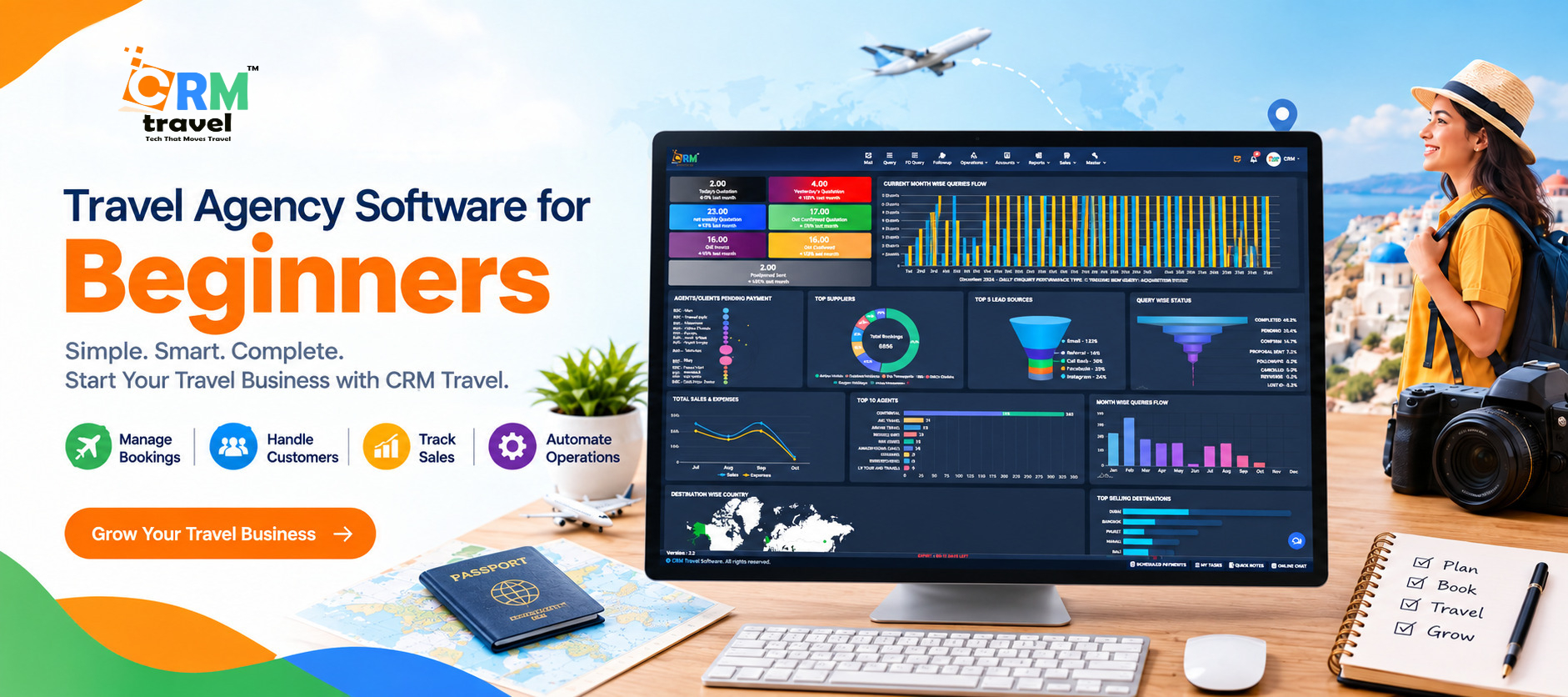
Starting or managing a travel agency involves much more than booking flights and hotels. You need to respond to customer inquiries, prepare travel quotations, organize itineraries, follow up with potential customers, and keep track of bookings and payments. Handling everything manually can quickly become confusing.
This is where Travel Agency Software can make a real difference. It helps travel professionals organize their daily work, manage customer information, and handle important tasks more efficiently.
If you are new to the travel industry or planning to start your own travel business, this guide will help you understand what travel agency software is, how it works, which features matter most, and how to choose the right solution for your needs.
Table of Contents
-
What Is Travel Agency Software?
-
How Does Travel Agency Software Work?
-
Why Do Travel Agencies Need Software?
-
Essential Features to Look For
-
Types of Travel Agency Software
-
Benefits of Using Travel Agency Software
-
Manual Management vs. Travel Agency Software
-
How to Choose the Right Software for Your Agency
-
Is CRMtravel Suitable for Your Travel Business?
-
Final Thoughts
-
Frequently Asked Questions
1. What Is Travel Agency Software?
Travel Agency Software is a digital tool that helps travel agents manage different parts of their business from one organized system. Depending on the platform, it can support customer relationship management (CRM), lead tracking, travel quotations, itinerary creation, booking coordination, invoicing, and reporting.
Think of it as a digital workspace for your travel agency.
Instead of keeping customer details in one spreadsheet, quotations in separate files, and follow-up reminders in a notebook, you can use suitable software to bring these activities together.
For example, imagine a customer contacts your agency to plan a family holiday to Dubai. You need to record their requirements, understand their budget, prepare a quotation, follow up with them, and track the booking if they decide to proceed.
Travel agency software helps you organize these steps and maintain a clearer view of the customer's journey.
The exact features depend on the software you choose. Some platforms focus mainly on customer management, while others offer additional tools for reservations, suppliers, payments, and travel operations.
2. How Does Travel Agency Software Work?
For beginners, the easiest way to understand travel agency software is to see how it fits into a typical working day.
Let's follow a simple example.
Suppose a customer contacts your agency and asks for a five-day honeymoon package in Bali.
▪ Step 1: Record the customer inquiry
First, you collect important details such as the customer's name, contact information, destination, travel dates, number of travelers, and approximate budget.
A travel CRM can help you save this information in one place so your team can find it when needed.
▪ Step 2: Understand the customer's requirements
Every traveler has different expectations. Some prefer luxury hotels, while others want an affordable holiday with sightseeing and local experiences.
Organized customer records help you understand these preferences and prepare a more relevant travel proposal.
▪ Step 3: Prepare a travel quotation
Once you understand the requirements, you can prepare a quotation with the proposed itinerary, accommodation, transfers, activities, and applicable costs.
A quotation builder can help organize these details into a professional document, making it easier for customers to understand what is included in the package.
▪ Step 4: Follow up with the customer
After sharing the quotation, the customer may need time to discuss the budget or compare options.
Without a proper tracking system, it is easy to forget a follow-up. Travel agency software can help you schedule reminders and track the status of pending inquiries.
▪ Step 5: Track the booking and payments
If the customer accepts the proposal, your agency can update the inquiry status and coordinate the next steps. Depending on the software, you may also manage booking records, invoices, and payment status.
▪ Step 6: Maintain the customer relationship
Your relationship with a traveler does not have to end when the trip is completed. You can use organized customer records to understand their preferences, request feedback, and share relevant offers for future holidays.
This is how travel agency software helps connect separate tasks into a more organized workflow.
3. Why Do Travel Agencies Need Software?
When a travel business is small, managing everything manually may seem manageable. However, as inquiries increase and more customers need attention, the workload can become difficult to control.
Here are some common challenges that the right software can help address.
▪ Managing multiple customer inquiries
Travel agencies receive inquiries through websites, phone calls, social media, messaging applications, and referrals. Keeping track of every conversation can become difficult when information is scattered across different channels.
A suitable CRM helps centralize customer records and makes it easier to track the status of each inquiry.
▪ Remembering follow-ups
Customers often need time before confirming a trip. A delayed response or forgotten follow-up can mean a missed opportunity.
Follow-up reminders help agents remember which customers need a call, quotation revision, or additional information.
▪ Creating quotations manually
Preparing every quotation from scratch takes time, particularly when customers request several changes.
Quotation tools can help standardize the process, organize travel components, and reduce repetitive work.
▪ Keeping information organized
Travel agencies may handle customer details, travel preferences, booking information, supplier costs, and payment records every day.
A centralized system makes this information easier to manage, subject to the platform's available features and access controls.
▪ Understanding business performance
Agency owners need to know how many inquiries they receive, which quotations are pending, and how effectively their team handles opportunities.
Reporting tools can help turn everyday business activity into information that supports better decisions.
The goal is not to make every task automatic. It is to reduce avoidable manual work so your team can spend more time helping customers plan their trips.
4. Essential Features to Look for in Travel Agency Software
Not every travel agency needs the same tools. Before choosing a platform, understand which features solve your current problems.
The following table covers the main capabilities worth evaluating.
| Feature | What it helps you do | Why it matters |
|---|---|---|
| Lead management | Record and organize customer inquiries | Helps prevent leads from being overlooked |
| Follow-up reminders | Track pending conversations and next actions | Supports timely customer communication |
| Quotation builder | Prepare organized travel proposals | Saves repetitive effort and improves presentation |
| Itinerary management | Arrange travel plans and activities | Makes trip details easier to understand |
| Booking management | Track relevant reservation details and statuses | Keeps important booking information organized |
| Invoicing and payment tracking | Prepare invoices and monitor payment status | Helps maintain clearer financial records |
| Customer database | Store customer details and preferences | Makes personalized service easier |
| Reports and dashboards | Review sales activity and business performance | Helps owners make informed decisions |
| Team access | Share information among authorized team members | Supports coordination across the agency |
| Cloud access | Access the system online, depending on the platform | Reduces reliance on a single office computer |
▪ Which features should beginners prioritize?
If you are just starting, you do not necessarily need every available feature.
Begin with the tools that address your biggest daily challenges:
▫ Lead management to organize new inquiries.
▫ Follow-up reminders to keep customer conversations moving.
▫ Quotation creation to prepare proposals more efficiently.
▫ Customer records to keep important information accessible.
▫ Basic reporting to understand your agency's activity.
As your business grows, you can evaluate additional features such as supplier management, integrations, invoicing, advanced reporting, and B2B booking tools.
A practical rule is to choose software that fits the way your agency operates today while leaving room for future growth.
5. Types of Travel Agency Software
The term "travel agency software" covers several types of tools. Understanding the differences will help you avoid paying for features you do not need.
▪ Travel CRM software
A travel CRM focuses on customer relationships and sales activities. It helps agencies organize inquiries, maintain customer records, track sales opportunities, and manage follow-ups.
It is especially useful for agencies that receive many inquiries and need a more structured way to convert them into bookings.
▪ Travel management software
Travel management software generally covers a broader set of business operations. Depending on the platform, this may include customer management, itineraries, supplier coordination, booking records, invoices, and reporting.
It is useful for agencies that want to organize several operational activities within a connected system.
▪ Travel booking software
Booking software helps customers or travel agents search for, select, and reserve travel products, depending on the integrations and inventory available.
Some platforms provide booking engines for flights, hotels, or other travel services. Others focus on coordinating bookings made through external suppliers.
Before choosing a solution, check whether it supports the specific booking functions your business requires.
▪ Tour operator software
Tour operator software is designed for businesses that create and sell travel packages, group tours, or multi-day experiences.
It may include itinerary building, package costing, supplier coordination, departure management, and tour-related operational tools.
▪ Which type is right for your business?
A small travel agency that mainly handles inquiries and customized holiday packages may benefit most from a travel CRM with quotation and follow-up features.
An agency handling larger booking volumes may need additional booking, finance, and operational tools. A tour operator managing group departures may require specialized tour management capabilities.
Some platforms combine several of these functions, so compare the actual features instead of relying only on the product category.
6. Benefits of Using Travel Agency Software
The right software can make everyday tasks more organized and give travel agents more time to focus on customers.
▪ Saves time on repetitive tasks
Preparing customer records, organizing quotations, and remembering follow-ups can take up a large part of the working day.
Software can reduce repeated data entry and help agents follow a consistent process.
▪ Helps manage leads more effectively
When each inquiry has a clear status and a next action, agents can prioritize customers who need attention.
This creates a more structured sales process and reduces the risk of losing track of potential bookings.
▪ Improves customer communication
Customers appreciate clear information and timely responses. Organized records help agents understand previous conversations and respond with the right context.
The quality of service still depends on your team, but good software gives them better tools to work with.
▪ Supports more professional quotations
A clear, well-organized quotation helps customers understand the proposed package, its inclusions, and its costs.
Reusable templates and quotation tools can also make it easier to maintain consistent branding across proposals.
▪ Reduces avoidable mistakes
Manual work can lead to duplicate records, outdated quotations, incorrect calculations, or missed reminders.
A well-configured system can reduce some of these risks, although agents should still review important travel details, pricing, and booking information.
▪ Makes growth easier to manage
As an agency grows, the number of inquiries, customers, and tasks usually increases.
A structured system can help teams manage this additional workload without relying entirely on individual memory or scattered files.
Remember that software supports business growth; it does not guarantee more bookings or higher profits on its own. Results also depend on service quality, pricing, marketing, and how consistently the team uses the system.
7. Manual Management vs. Travel Agency Software
Many new travel agents begin with spreadsheets, email, messaging applications, and paper notes. These tools can work for basic tasks, but coordinating everything becomes harder as the business grows.
Here is a simple comparison.
| Business activity | Manual approach | With suitable software |
|---|---|---|
| Customer inquiries | Details may be scattered across channels | Records can be organized centrally |
| Follow-ups | Relies on personal reminders | Tasks and reminders can be tracked |
| Quotations | Often prepared using separate documents | Templates and quotation tools can standardize the process |
| Customer history | Requires searching through old messages and files | Customer information can be easier to retrieve |
| Team coordination | Updates may need to be shared individually | Authorized team members can work from shared records |
| Reporting | Data may need to be collected manually | Available dashboards can summarize business activity |
Software is not automatically the better choice for every task. A new solo agent with only a few customers may be comfortable using basic tools initially.
However, if you frequently miss follow-ups, repeat the same administrative work, or struggle to find customer information, dedicated software may be worth considering.
8. How to Choose the Right Travel Agency Software
Choosing software is an important decision, especially when you are starting a travel business. Instead of selecting a platform only because it looks impressive, evaluate it against your actual needs.
▪ Step 1: Identify your biggest challenges
Write down the tasks that consume the most time.
Are you struggling with lead management? Do quotations take too long? Are customer details scattered across different applications?
Start with these problems when comparing platforms.
▪ Step 2: Make a list of essential features
Separate your requirements into two groups: features you need immediately and features that may become useful later.
For example, a small agency may prioritize lead tracking, follow-up reminders, and quotation creation before investing in advanced integrations.
▪ Step 3: Check ease of use
A system may offer many features but still be difficult for your team to use.
Look for a clear interface, understandable workflows, helpful onboarding, and accessible support. Ask for a demonstration so you can see how the software handles your real tasks.
▪ Step 4: Understand the pricing
Check what the subscription includes before making a decision.
Ask about user limits, setup costs, available modules, integrations, support, and any additional charges. Compare the total cost with the time and effort the system could save.
▪ Step 5: Review security and access controls
Your agency may handle personal contact information, travel documents, and booking details.
Ask how the provider protects customer data, manages user permissions, handles backups, and supports account security. Give employees access only to the information they need for their roles.
▪ Step 6: Check integration requirements
If your agency already uses accounting software, communication tools, booking engines, or supplier platforms, confirm whether the new system supports the required integrations.
Do not assume that every connection is available by default. Ask the provider which integrations are included and whether additional configuration is necessary.
▪ Step 7: Test the software with a real workflow
Before committing, try a sample customer journey.
Record an inquiry, prepare a quotation, schedule a follow-up, and review how booking information is managed.
This practical test will tell you more about usability than a long list of features alone.
9. Is CRMtravel Suitable for Your Travel Business?
If you are looking for travel-focused software to organize customer inquiries and daily agency work, CRMtravel is one platform you can explore.
Visit the official website: CRMtravel.
CRMtravel describes its software as a cloud-based solution for travel agencies and other travel businesses. Its published features include lead management, follow-up tools, quotation creation, invoicing, and additional travel technology solutions.
Here is how some of these capabilities relate to the challenges beginners commonly face.
▪ Lead management for organized inquiries
Keeping track of customer inquiries is an important part of running a travel agency.
CRMtravel's website describes lead management features designed to collect and organize inquiries from supported sources, helping agencies maintain a clearer view of their sales opportunities.
For a beginner, this can provide a more structured alternative to keeping every inquiry in a separate spreadsheet or conversation.
▪ Follow-up tools for customer communication
A customer may need several conversations before confirming a trip.
CRMtravel highlights a follow-up system that helps teams monitor pending inquiries and receive reminders about follow-up activities.
This can help agents maintain a more consistent communication process rather than relying only on memory.
▪ Quotation creation for travel packages
Preparing quotations is a regular task for many travel agencies, particularly those selling customized holidays.
CRMtravel provides a quotation builder designed to organize travel components and calculate quotation totals. Its published feature information also describes options for sharing and exporting proposals.
These tools can help agents prepare more organized quotations, while the final details and prices should always be checked before sending them to a customer.
▪ Cloud-based access
CRMtravel describes its platform as cloud-based, with no desktop installation required.
For agencies that prefer to work online, this approach can reduce dependence on a single office computer. You should still confirm device compatibility, account permissions, and any access requirements during a product demonstration.
▪ Additional tools as your business grows
CRMtravel's website also lists solutions for B2B and B2C travel businesses, booking engines, corporate booking, cab management, and visa management.
The suitability of these options depends on your business model and the specific modules you need. Ask the CRMtravel team to demonstrate the relevant features and explain the available plans before deciding.
▪ How to get started with CRMtravel
If you want to understand whether CRMtravel fits your workflow, follow these simple steps:
-
Visit the official CRMtravel website.
-
Review the available features and solutions.
-
Request a demonstration through the website.
-
Explain how your agency currently manages inquiries, quotations, bookings, and payments.
-
Ask the team to show you how those tasks would work in the software.
-
Review the pricing, onboarding process, support, and any required integrations before making a decision.
The best software is the one that solves your actual business problems and is practical for your team to use every day.
Ready to simplify your travel agency's daily work? Explore CRMtravel and request a demonstration to see whether its features match your business requirements.
10. Final Thoughts
Running a travel agency becomes easier to organize when you have a clear process for managing inquiries, preparing quotations, tracking bookings, and communicating with customers.
The right Travel Agency Software can bring these activities together, reduce repetitive administrative work, and help you maintain better visibility into your business. However, the best choice depends on your agency's size, working style, budget, and future plans.
If you are a beginner, start by identifying the tasks that cause the most difficulty. Compare a few suitable platforms, test their main features, and choose one that your team can use confidently.
CRMtravel is one option to explore if you want a travel-focused platform with features for lead management, follow-ups, quotation creation, and related travel business operations.
Visit CRMtravel's official website to learn more about its solutions and request a demonstration.
A well-organized travel business starts with the right process, the right tools, and a consistent focus on helping customers travel with confidence.
